
Generate AI images
Describe an image, add references when needed, and choose the available model, size, and format.
How do I generate images in HolyCrab?
Choose AI Image, describe the result, add reference images when needed, and set the available size and format before generating.
How to use it
AI Image: Choose Seedream 5.0 Pro, Seedream 5.0 Lite, or Seedream 4.5 for text-to-image or reference-image work. Describe the image, add references when needed, set size and format, and select Generate image.
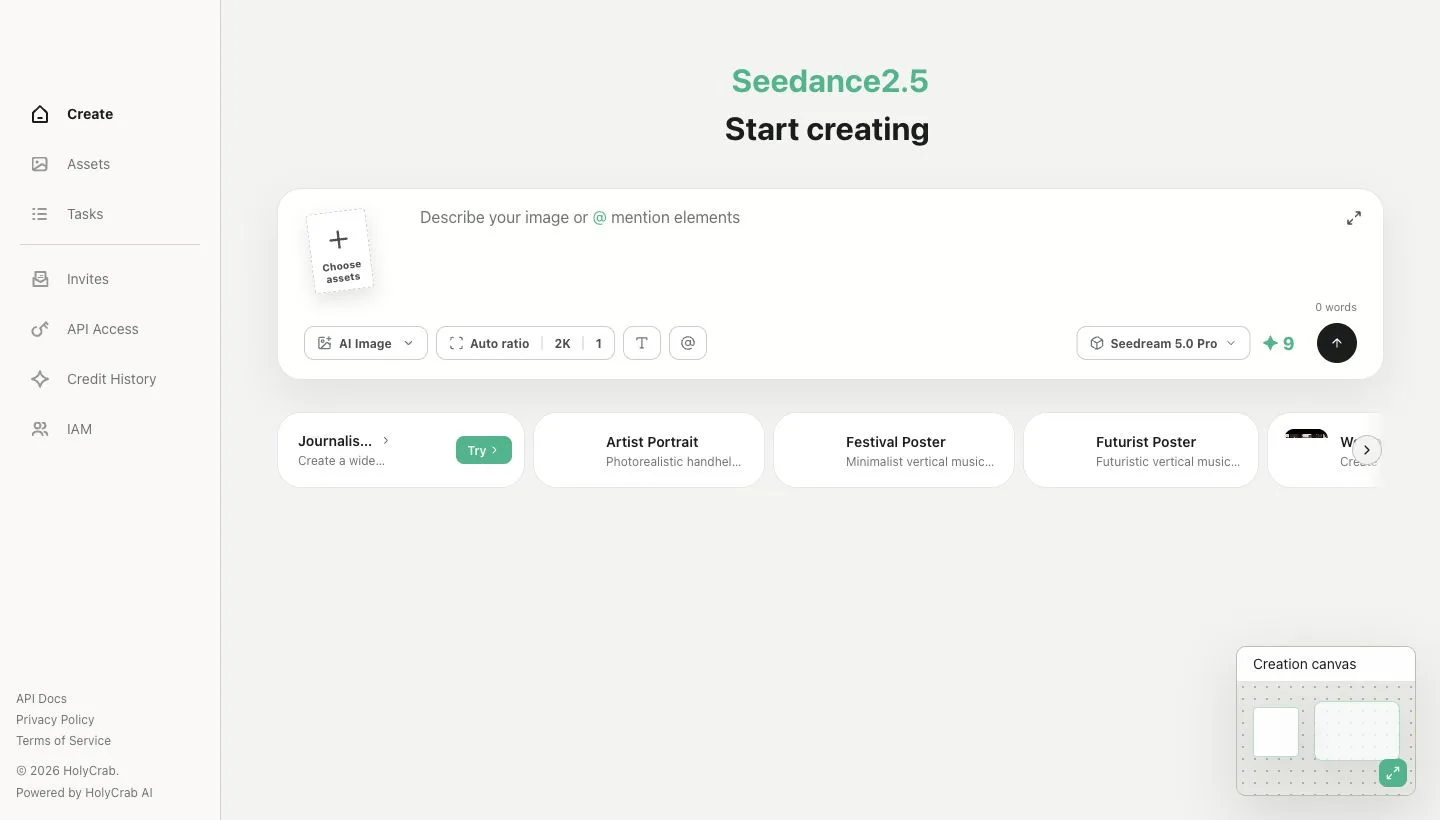
AI Image creation controls and Seedream model selection