
Review credits and manage billing
Understand credit records, redeem eligible codes, and choose a membership, credit pack, or automatic top-up.
How do I view HolyCrab credit history?
Credit History shows the available balance and every credit hold, settlement, refund, top-up, redemption, transfer, and adjustment.
How to use it
Read generation charges: A task may first reserve estimated credits and later settle the final amount. Any difference is returned or charged and appears as a separate record.
Credit History page with balance, redeem, top-up, and transaction records
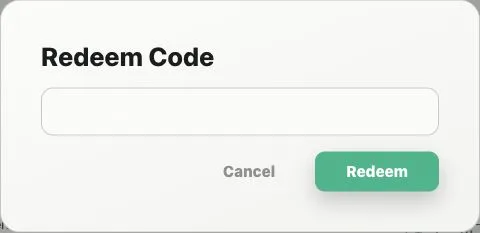
Add credits: Select Redeem Code for an eligible voucher or Top Up to open plans and Token packs.
How do HolyCrab plans, Token packs, and auto top-up work?
Top Up opens monthly Plans and one-time Token packs, while auto top-up can purchase a selected pack when the balance falls below your threshold.
How to use it
Monthly Plans: Choose a plan when you want a recurring monthly credit allocation and the benefits shown on that plan. Upgrades or cancellations apply according to the billing notice shown in the workspace.
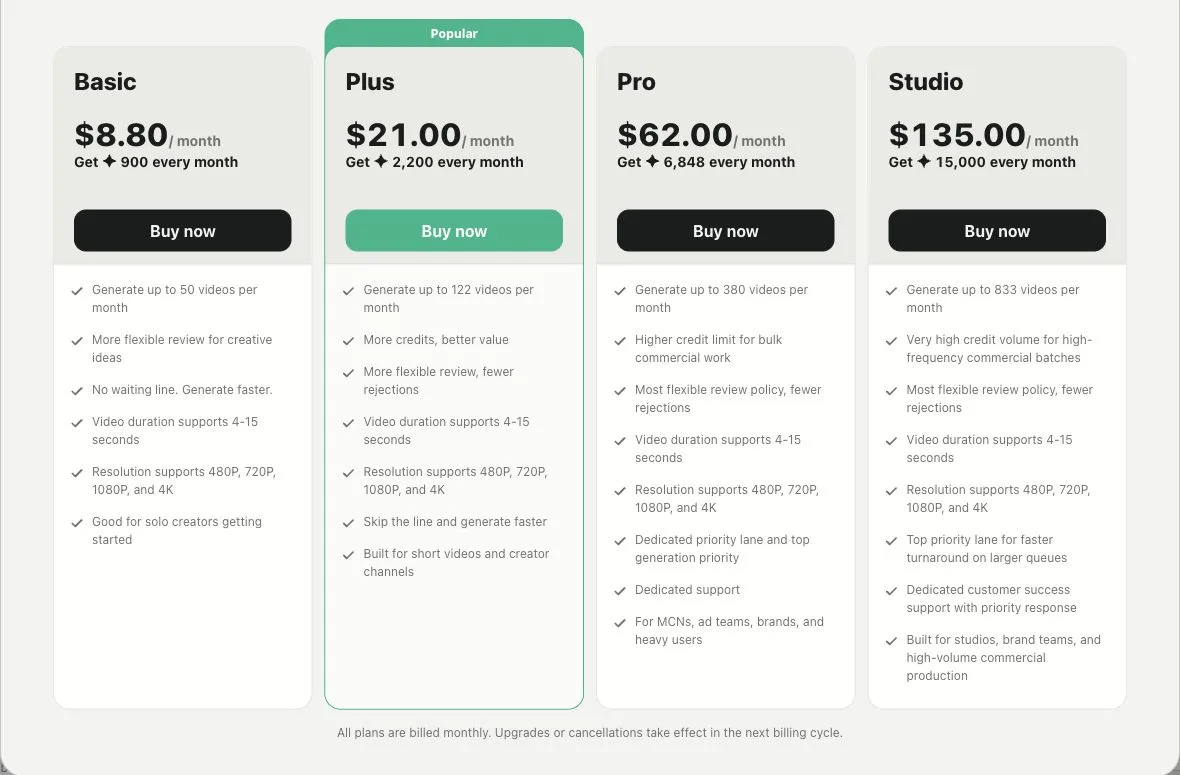
HolyCrab monthly membership plans
Token packs: Choose a one-time package, review the displayed credits, price, bonus, and account discount, then select Buy credits.
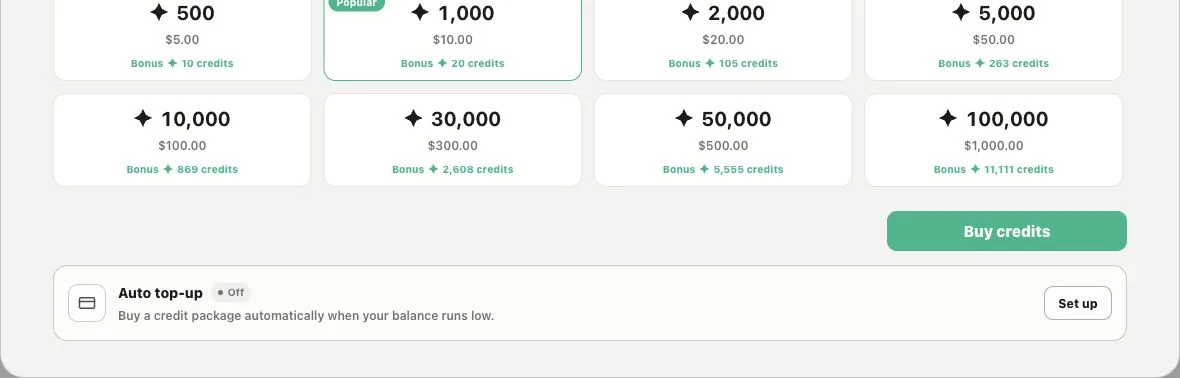
Token packs and automatic top-up settings
Auto top-up: Set a minimum balance and a Token pack to keep production funded automatically. The workspace shows whether the rule is off, active, pending, or paused before you manage it.