
Manage sub-accounts and API keys
Control team access, credit allocation, external keys, usage limits, and key status.
How do HolyCrab sub-accounts work?
A primary account creates sub-accounts through a private registration link and controls their separate credit balances.
How to use it
Create a sub-account: Open IAM, copy the Sub-account registration link, and share it privately with the intended member. Resetting the link invalidates the previous link without removing existing sub-accounts.
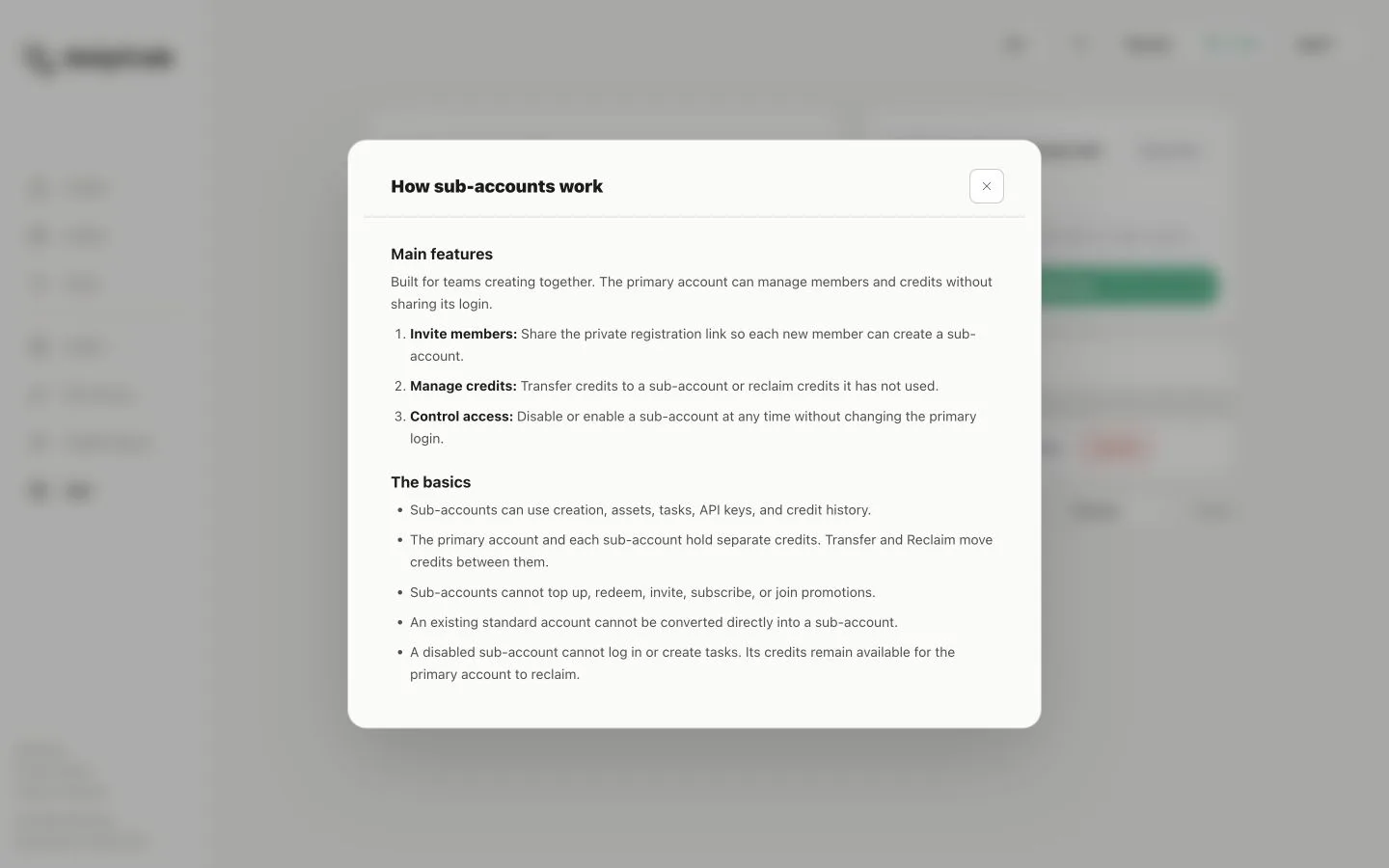
Sub-account management page with registration link and credit controls
Manage access and credits: Use Transfer or Reclaim to move credits between the primary account and a sub-account, or Disable to block login and new tasks. Re-enable the member when access should resume.
Know the limits: Sub-accounts can create content and use assets, tasks, API keys, and credit history, but cannot top up, redeem codes, invite users, subscribe, or join promotions.
How do I manage HolyCrab API keys?
API Access creates and manages keys, credit limits, status, and daily usage for external workflows.
How to use it
Create and protect a key: Open API Access, select New key, and copy the full key when it is shown. Store it securely and never publish it in screenshots, code, or shared documents.
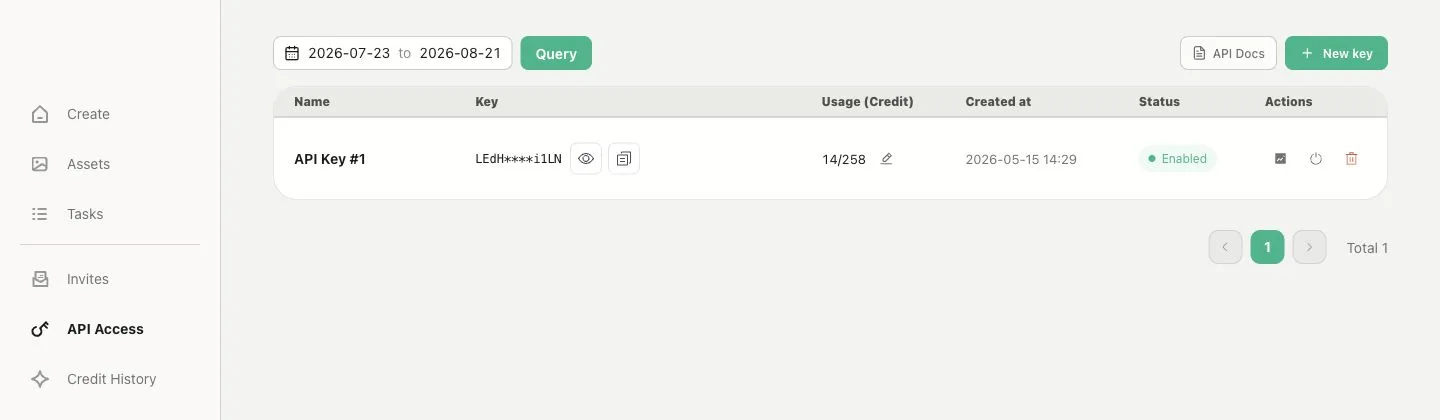
API Access page with masked keys, usage, status, and limits
Control usage: Filter usage by date, open Trend, set a custom credit limit, or enable and disable a key. Deleting a key stops it immediately.